Custom request headers
You can set up your pages so that a custom request header is sent with every request that's made while loading the page.
Here are some example use cases:
- to prevent the DebugBear agent from being blocked by your server
- to exclude DebugBear requests from analytics
- to load pages behind HTTP Basic Auth
How to set up a custom request header
- Go to your page settings or create a new page
- Click Show Advanced
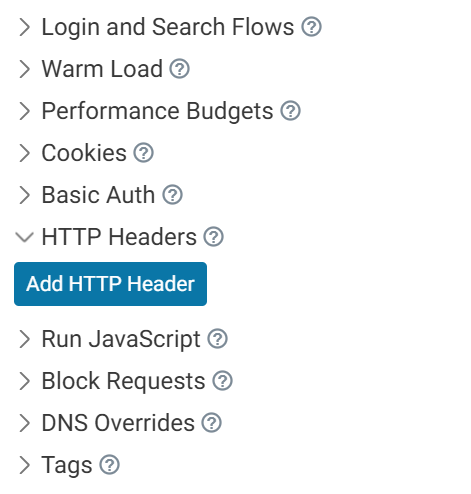
- Open HTTP Headers
- Click Add HTTP Header
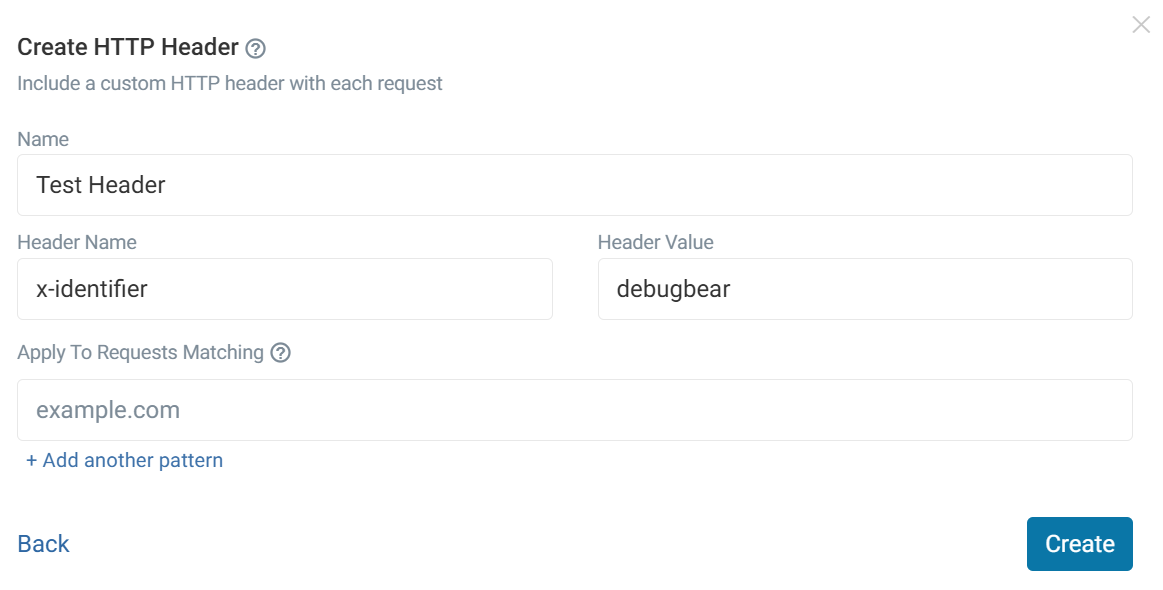
- Click Create HTTP Header
- Pick a name for the setting
- Fill in the header name and value
- Click Create
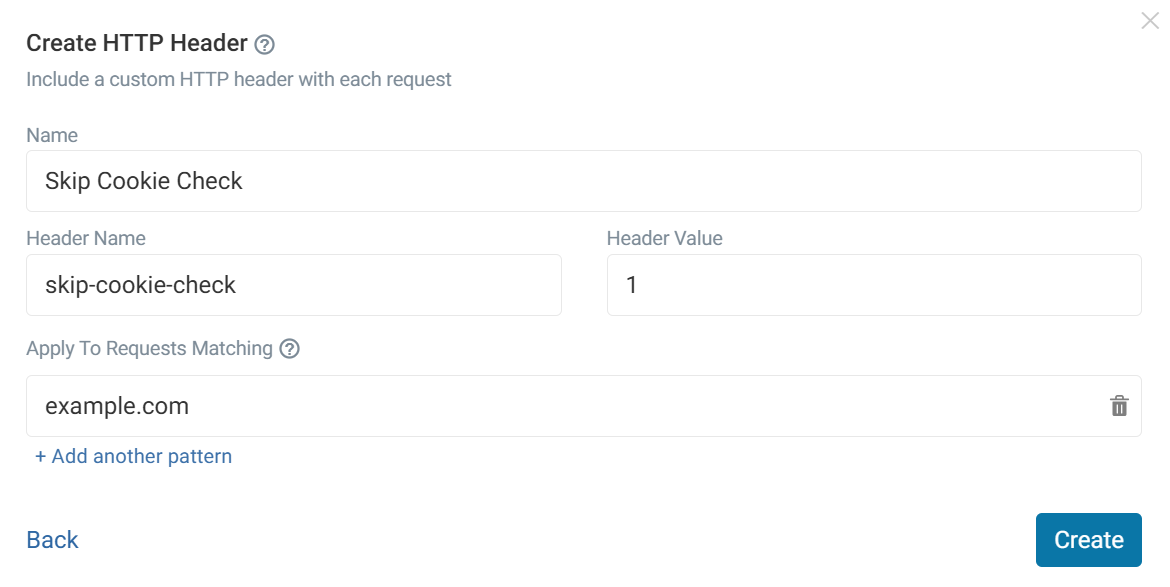
You can restrict which URLs a custom header will be applied to with the option below. More domains can be added with the Add another pattern button.
Using the API
You can customize the headers that are passed with a test that's triggered via the API:
debugbear.pages.analyze(pageId, {
  customHeaders: {
    "X-Origin": "DebugBear",
  },
});
Using the CLI
Use the --customHeader flag to trigger a test with an additional header:
debugbear --pageId 1234 --customHeader "X-Origin:DebugBear" --customHeader "Another:Header"