RUM Saved Filters
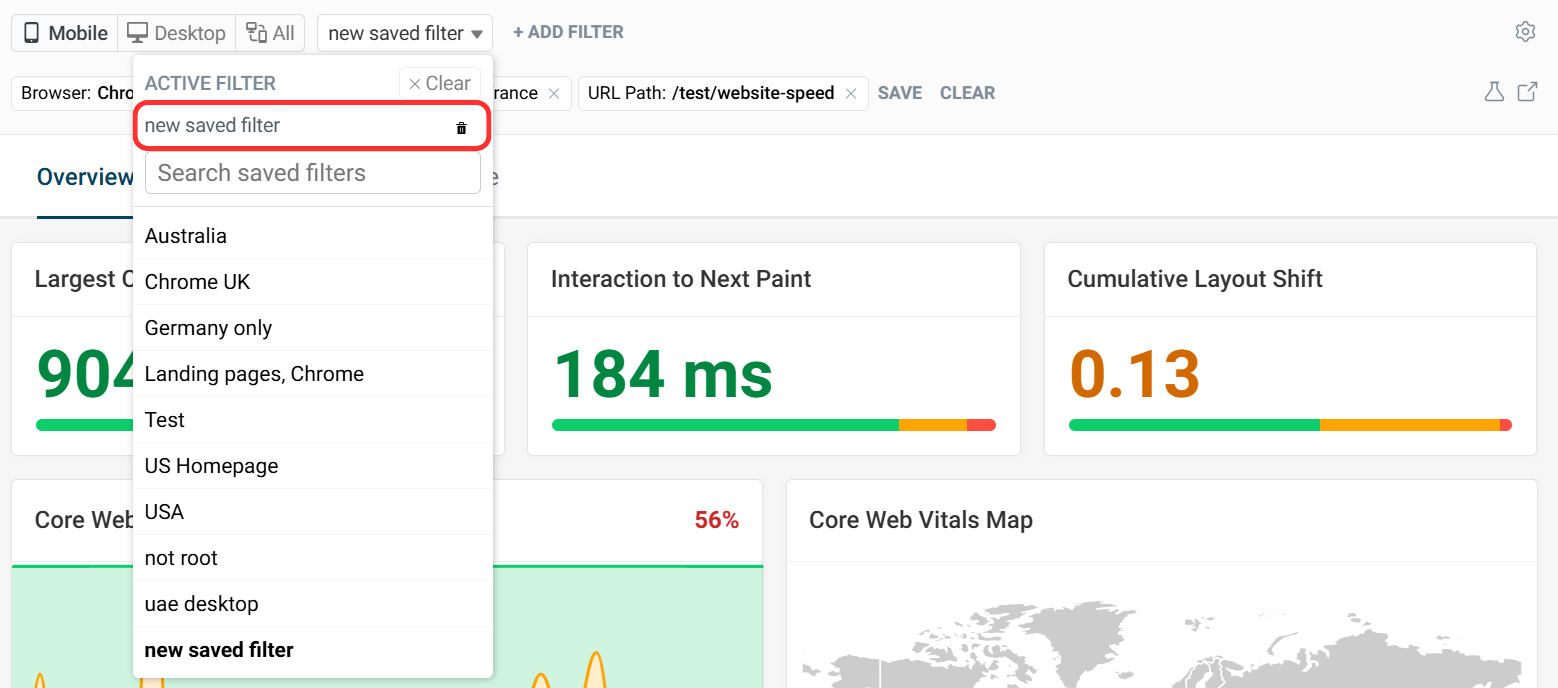
Filters allow you to look at a subset of real user monitoring experiences on your website. Saved filters make it easy to access your most commonly used filter settings.
How to create a saved filter
To save a filter:
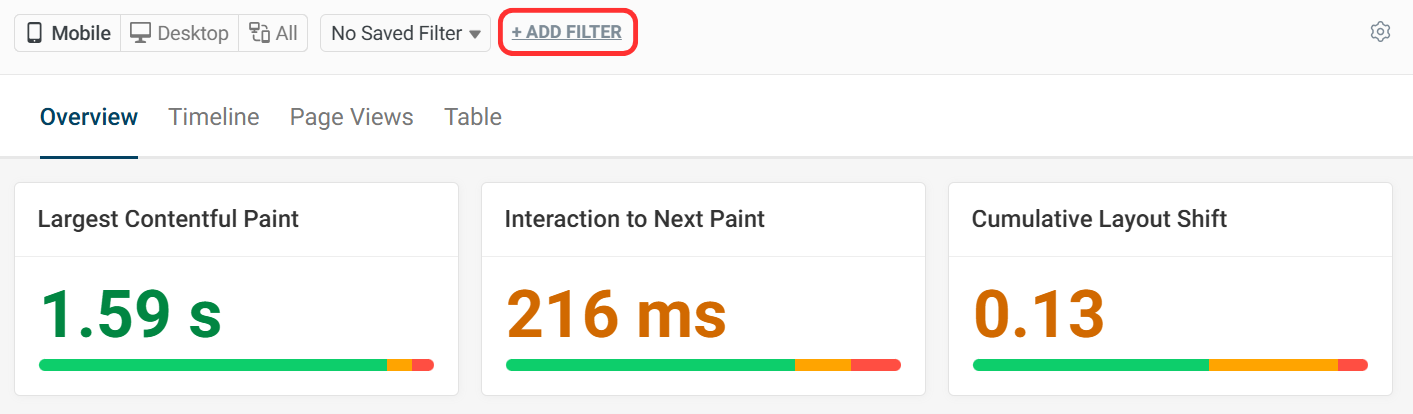
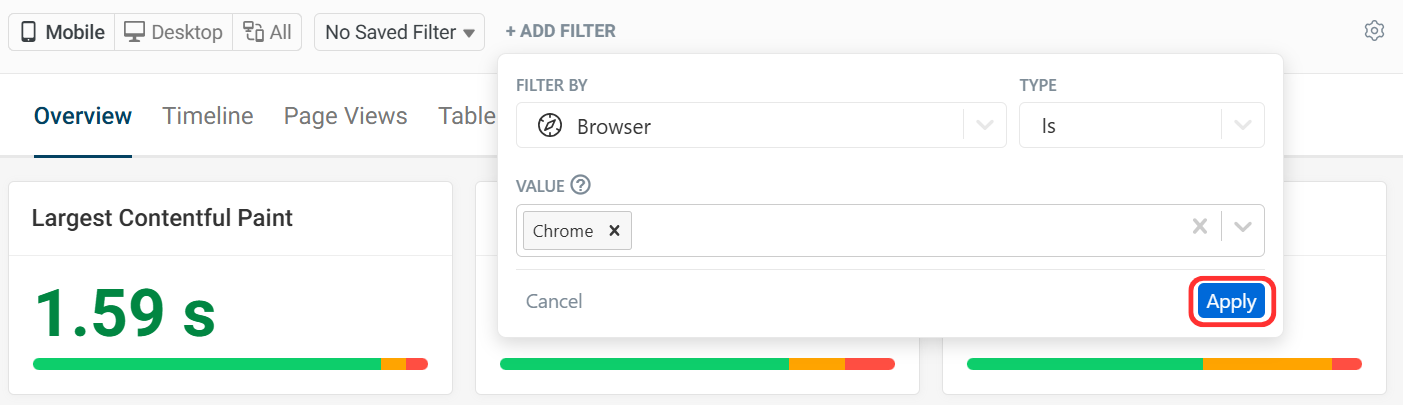
- Click Add Filter and make your selections.
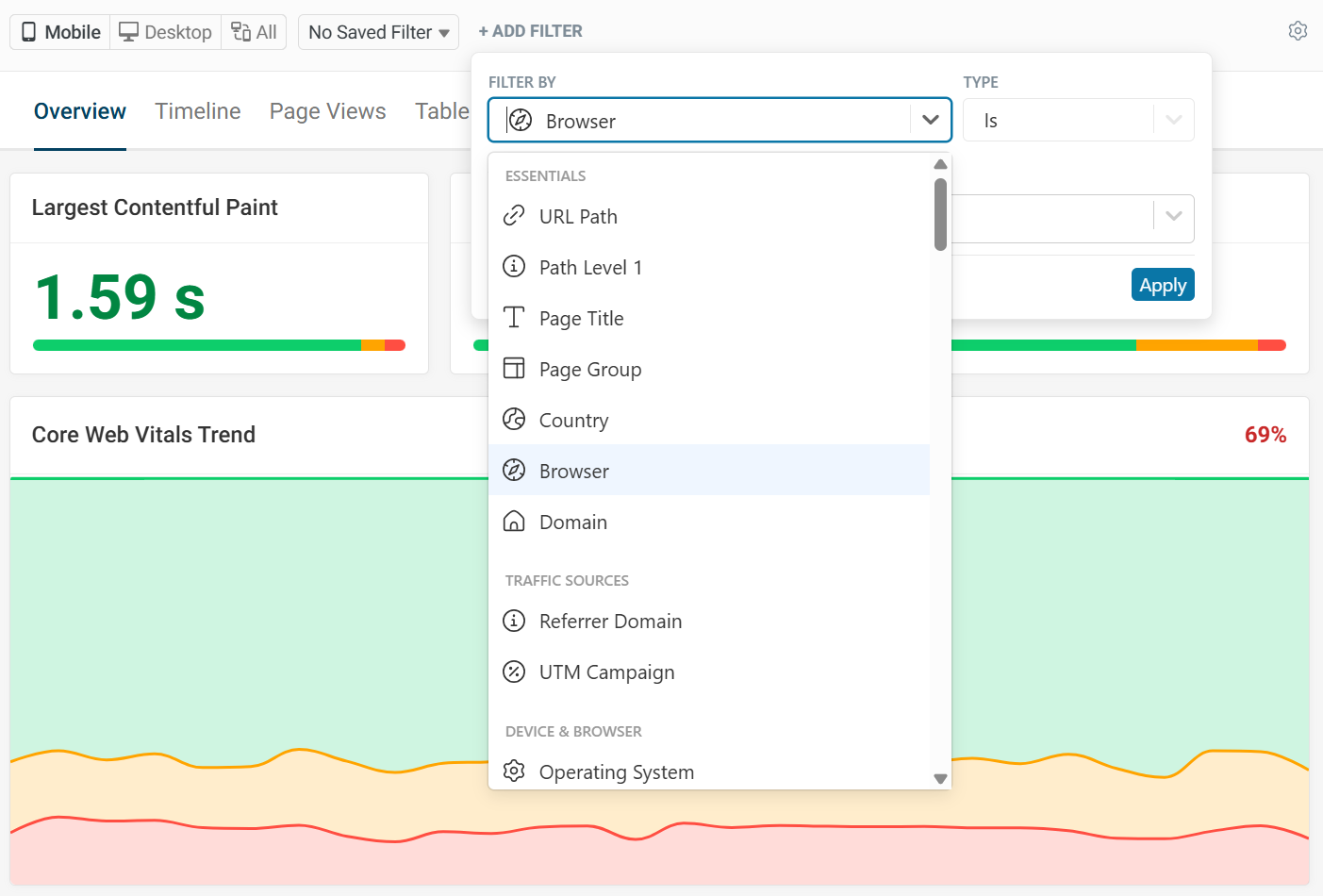
- Select property from one of the filter categories.
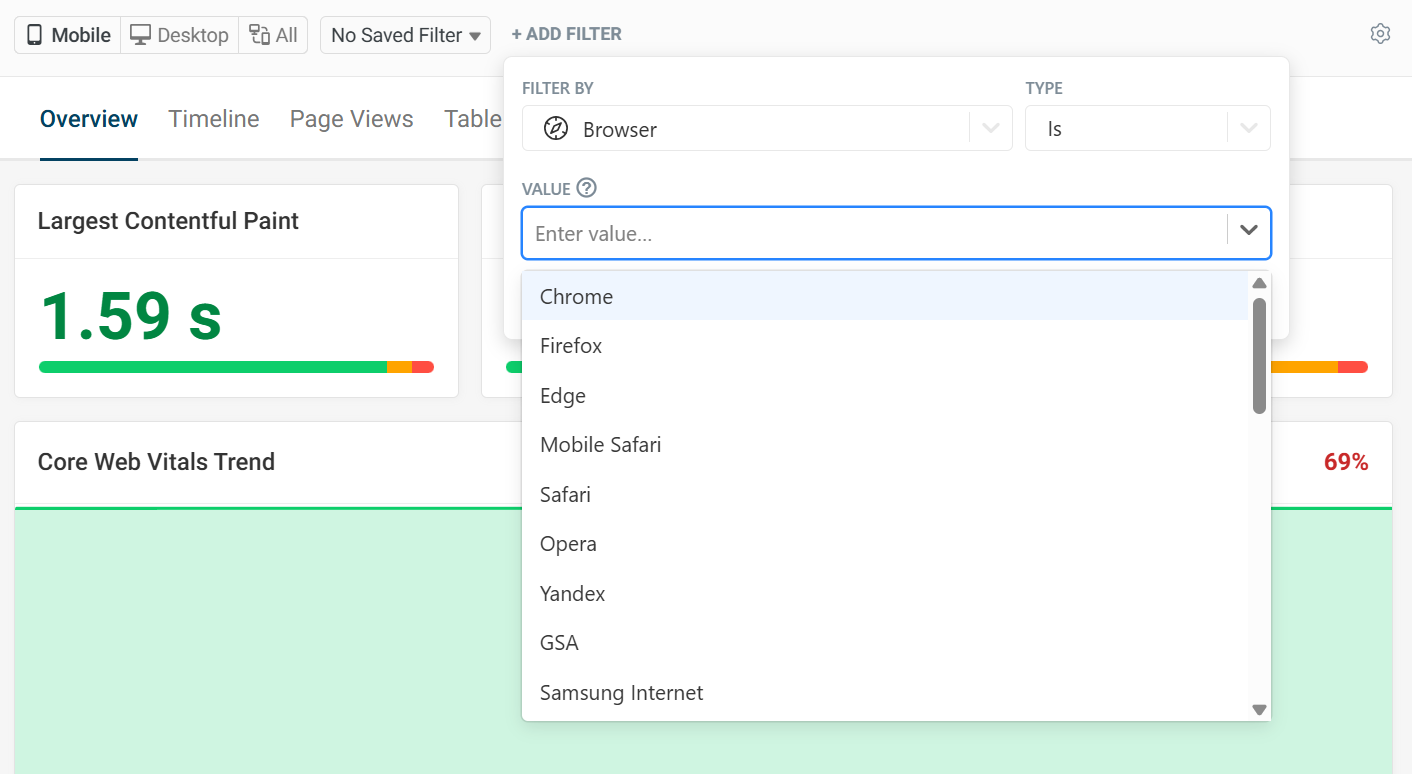
- Select filter type and value.
- Click Apply.
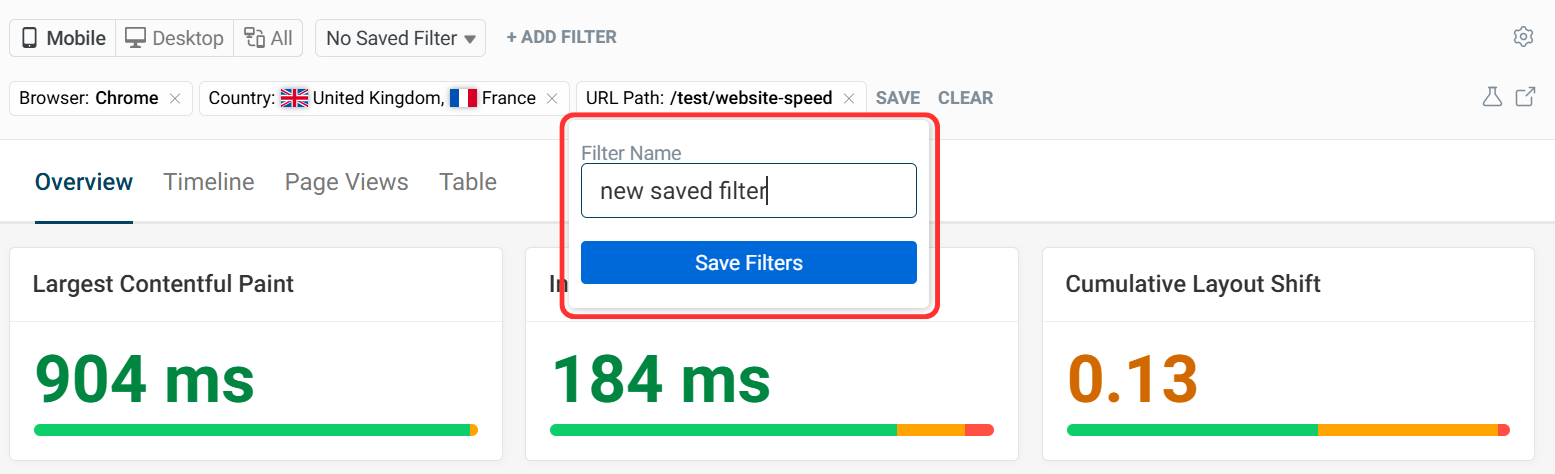
- After selecting filters, click Save.

- Name saved filter and click Save Filters.
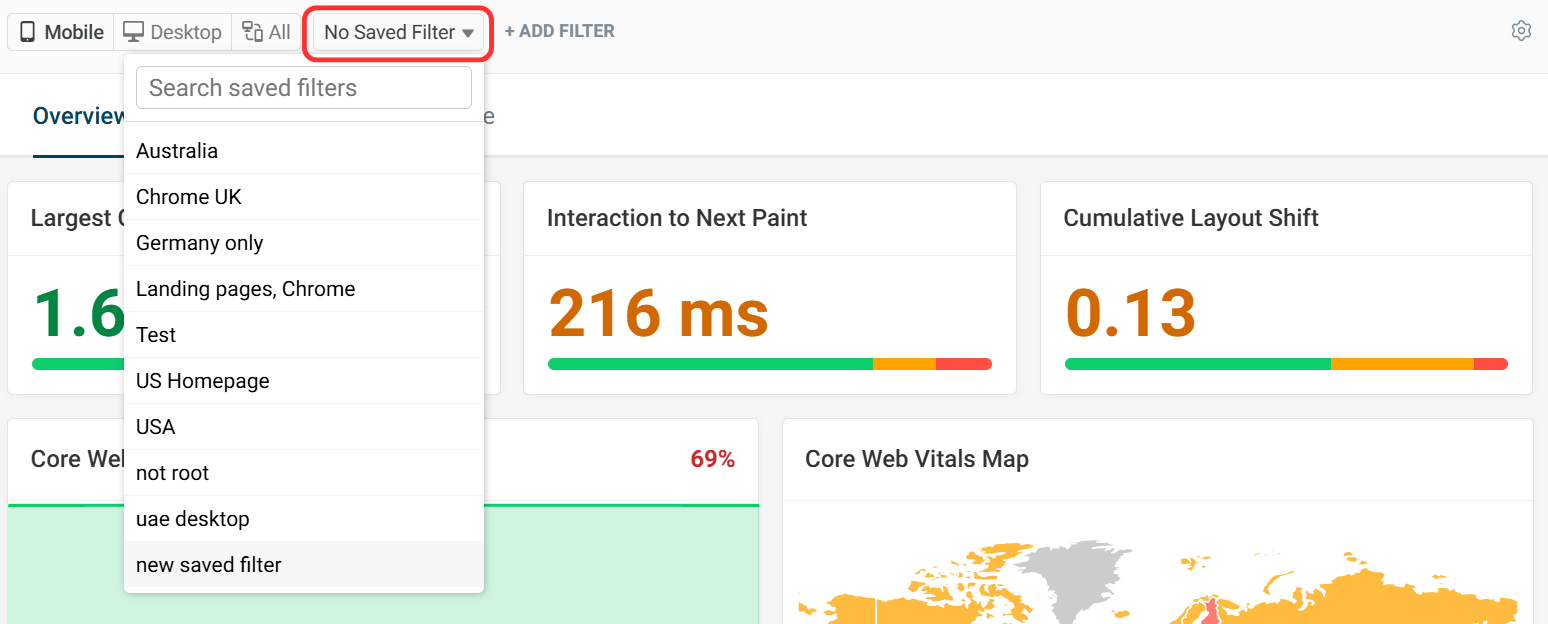
How to select a saved filter
Once your filter has been saved, you can select it from the Saved Filters dropdown.
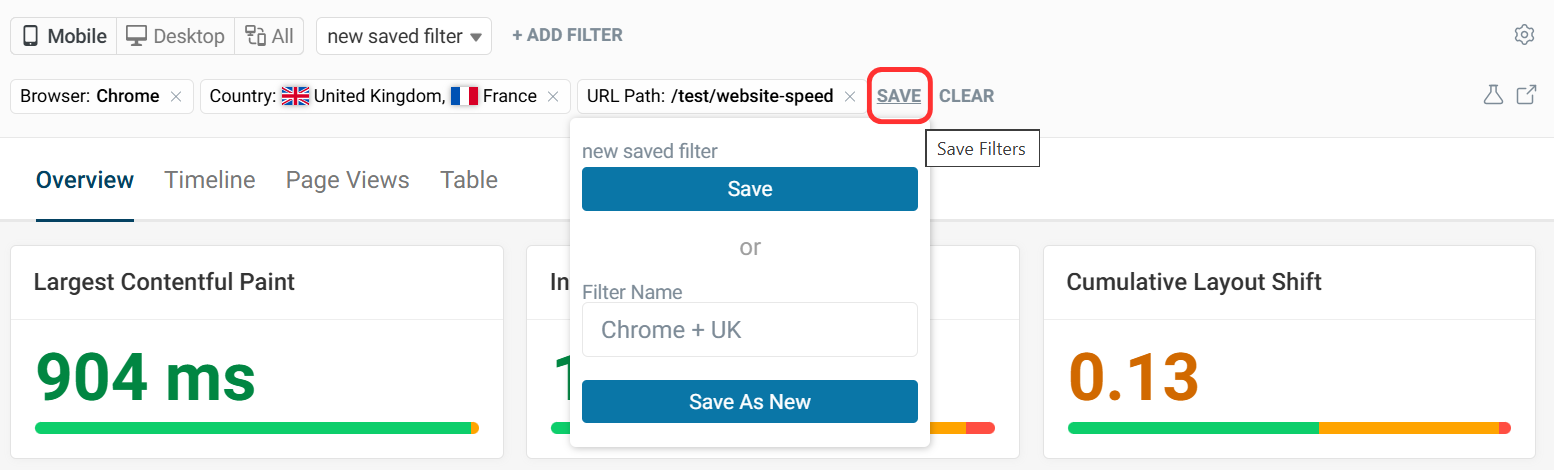
How to update a saved filter
To update a filter, select the saved filter and click Save.
You can also use Save As New to create a new filter with a different name.
How to delete a saved filter
To delete a filter, make sure the filter is selected then click Delete.