Send web performance alerts based on RUM data
Generating alerts for changes in visitor experience helps you maintain a good user experience and pass Google Core Web Vitals scores.
You can set up budgets with custom alert criteria and report breaches to different notification channels.
Set up RUM budgets
You can configure budget thresholds for your RUM data here: Project > RUM > Settings > Alerts & Budgets.
The dashboard lists all existing budgets and their current status.
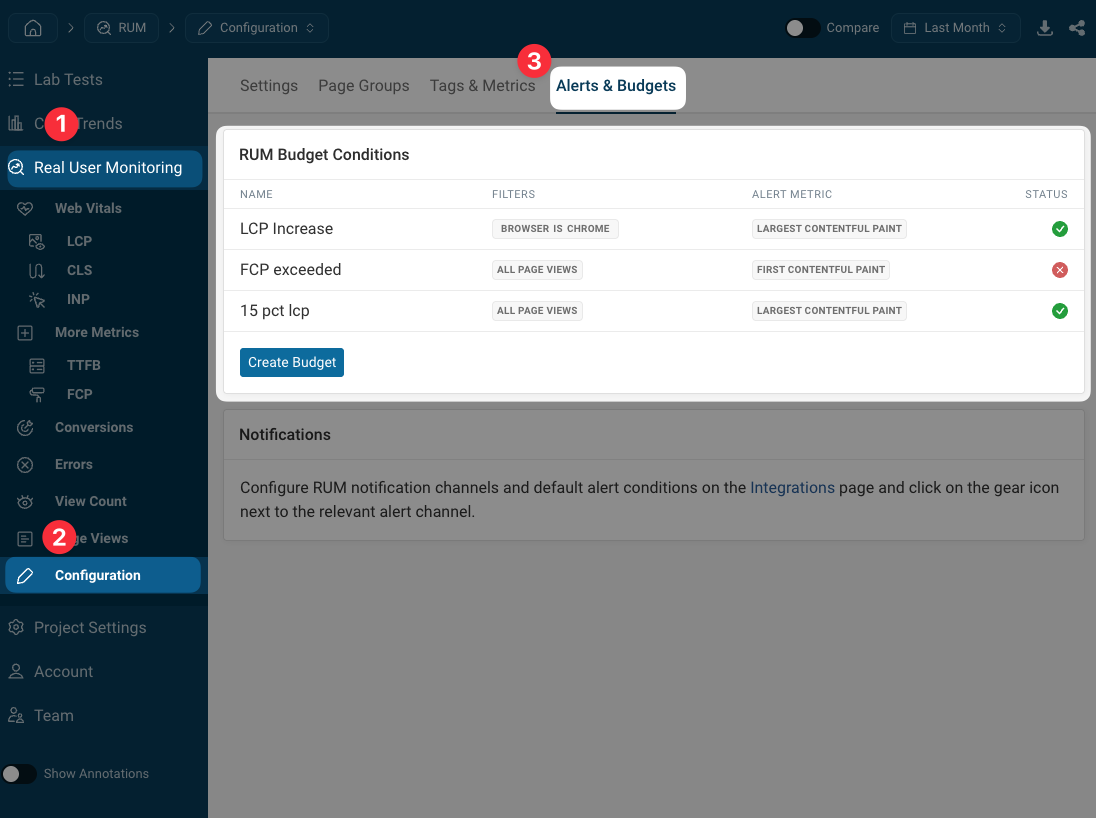
Click on "Create Budget" to set up new checks. Each budget has the following configuration options:
- Budget Name
- Check Every: how often the RUM data is checked for breaches
- Consistent Breach: whether to fail the budget right away or only after multiple consecutive breaches
- Page View Filter: only check the budget for a specific subset of your data (for example a specific page URL or browser)
- Budget Condition: what metric and change threshold to apply.
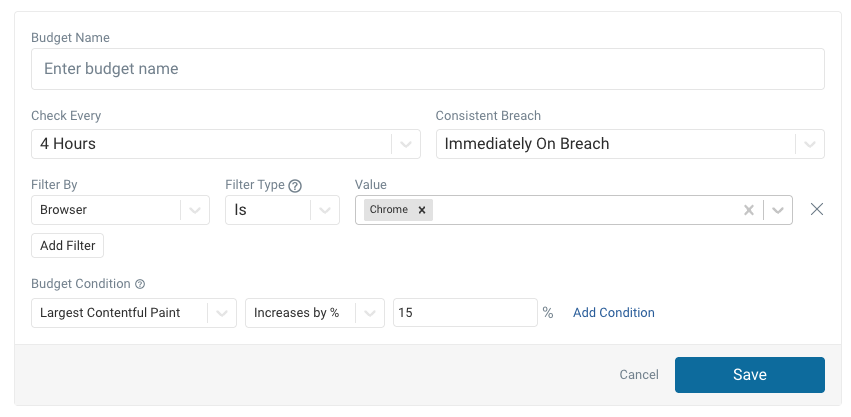
The check frequency also determines the duration of the data window that is checked. For example, when checking if a value has increased by a certain amount, the last 4 hours of data might be compared to the preceding 4 hours of data.
For relative changes DebugBear looks at a baseline window of up to 5 periods to reduce the impact of outliers.
Viewing budget history
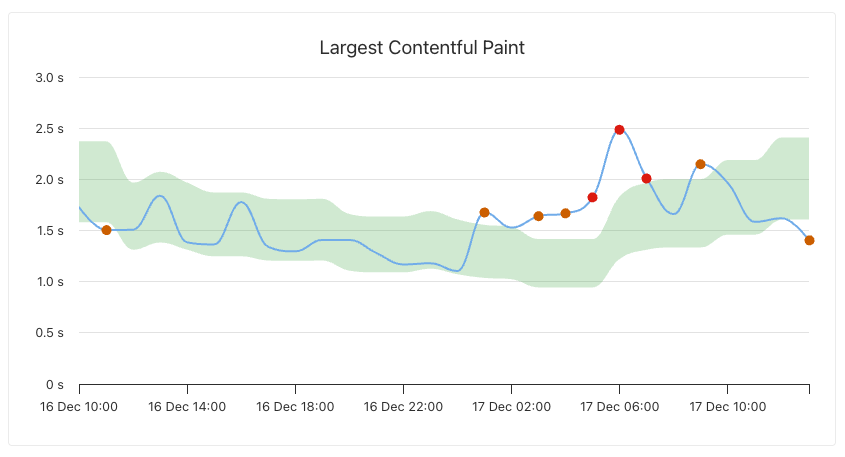
After creating a budget you can click on the item in the table to see how the metric has changed over time and when breaches occurred:
- The green background indicates the value range that would count as passing at each point in time
- Orange dots indicate that the budget was breached for the period
- Red dots indicate that the budget was breached consistently (if configured in the budget)
Alerting channels
You can send RUM data alerts through the following channels:
- Slack
- Microsoft Teams
How to set up an alerting channel
Every project has RUM email alerts pre-configured.
Follow these steps to set up Slack or Teams alerts:
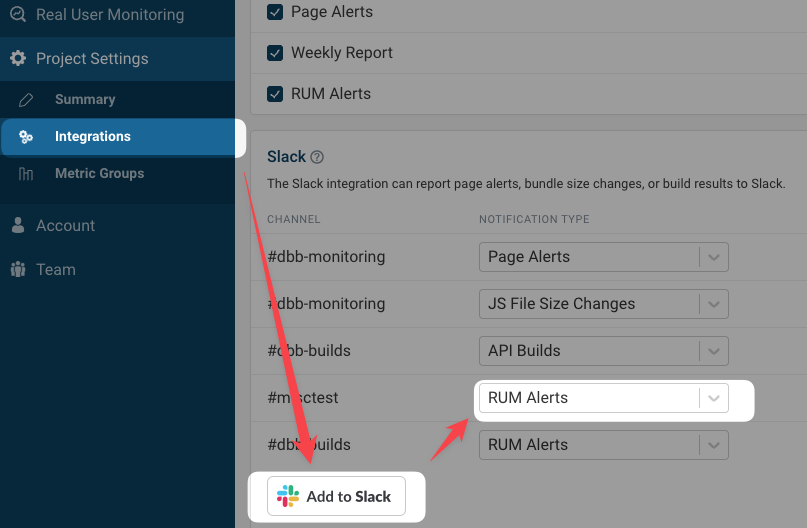
- Select Integrations in the sidebar
- Add Slack or Teams integration
- Select the RUM Alerts alert type during setup
Configure alerting
Use RUM budgets to configure your alerts.
DebugBear also has a set of default alert thresholds that will be used automatically to alert you to major changes on key pages on your website.
The legacy integration-specific alerts are still applied. They will eventually be migrated to the new RUM budget system.
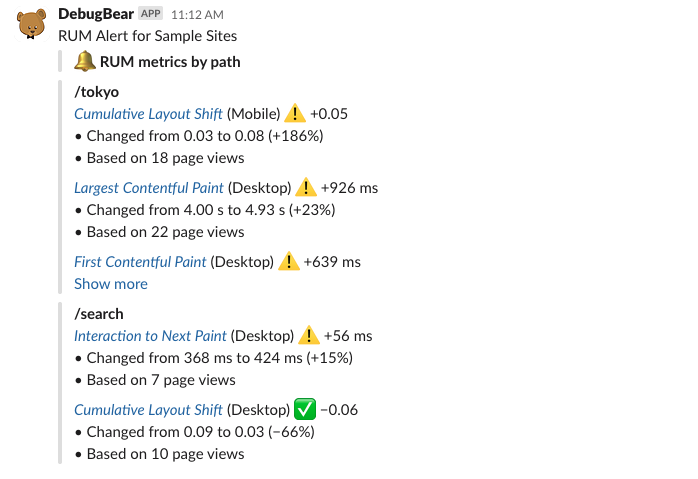
RUM Alert example
A Slack message for a real user monitoring alert looks like this: