
Efficient data fetching in web applications is important because it directly impacts performance, user experience, and resource usage.
In this article, we'll explore how to use useAsyncData to optimize data fetching and use built-in caching to improve overall performance of our Nuxt application.
What is useAsyncData?
useAsyncData is a composable in Nuxt 3+ that runs your asynchronous data fetch during server-side rendering (SSR) and hydrating on the client.
Unlike client-only fetching, useAsyncData works both on the server and client side, making it ideal for pre-rendering content and improving SEO.
A basic example of using useAsyncData looks like this:
const { data, pending, error } = await useAsyncData("myData", () =>
  $fetch("/api/data")
);
In the above example, myData is a unique key to ensure that data fetching can be properly de-duplicated across requests. If you do not provide a key, then a key that is unique to the file name and line number of the instance of useAsyncData will be generated for you.
The () => $fetch('/api/data') callback is responsible for fetching the data. It's an asynchronous function that must return a truthy value (for example, it should not be undefined or null) or the request may be duplicated on the client side.
Keep in mind that by default, useAsyncData will block client-side navigation until all the requests are finished in the useAsyncData.
This can be customized with the lazy option discussed further in the article.
useAsyncData supports many different features that we'll explain later in this article, for example lazy loading, watching keys, caching, and controlling server-side fetching.
Benefits of using useAsyncData
The useAsyncData composable comes with several benefits that make it easy to build a fast website.
Server-Side Data Fetching
When used in a page or component, useAsyncData automatically runs during server-side rendering (SSR) and hydrates the data to the client.
This means faster initial page loads, better SEO because the HTML is pre-filled with content, and reduced client-side data fetching overhead.
Built-in Caching
Nuxt automatically caches data on the server and reuses it when possible. You can even control how often data should be refreshed or cached using options like staleTime or server.
Improved Performance
By shifting data fetching to the server during SSR or SSG (static-site generation), useAsyncData avoids redundant client-side requests and delivers faster perceived performance to users.
Improved Developer Experience by code simplification
Fetching and managing loading and error states often requires boilerplate code. useAsyncData simplifies this with its built-in state handling, making your components cleaner and more maintainable.
New Optimization: shallowRef for data
From Nuxt 4 (and optionally in compatible Nuxt 3), data is now a shallowRef rather than a deep reactive ref. This avoids high overhead on nested data structures, boosting performance dramatically.
To see the actual difference in performance between the usage of ref and shallowRef let’s take a look at the following benchmark:
| Data Size | Deep Reactivity | Shallow Reactivity | Improvement |
|---|---|---|---|
| 100 | 45 ms | 12 ms | 73% |
| 10000 | 850 ms | 95 ms | 59% |
You can see an even more detailed benchmark by visiting this page.
From now on, shallowRef should be used for the majority of cases but if you need to you can always disable it and use the normal ref like so:
const { data } = await useAsyncData("foo", fetchFn, { deep: true });
Best practices for efficient data fetching with useAsyncData
The useAsyncData composable was designed with performance and efficiency in mind but you can configure it using following practices to match your needs better and make the data fetching even more performant and efficient.
Usage of key, watch, lazy, and server options
We can pass various options to the useAsyncData composable to make it more performant.
Let’s take a look at the following example:
const { data } = await useAsyncData(
  `item-${id.value}`,
  () => $fetch(`/api/items/${id.value}`),
  { watch: [id], lazy: false, server: true }
);
Here we are fetching data from the API endpoint but we are also passing in some extra options:
watchmakes sure to handle parameter changes and refetch datalazywhen set tofalsemakes sure not to block the client-side navigation waiting for the request to resolveserverwhen set tofalselets us instruct the composable to fetch data only on the client side
We are also passing a unique key to prevent duplicate fetches. Instead of passing the lazy option you can also use the useLazyAsyncData explained here.
Custom Client Caching with getCachedData
getCachedData is an option available in Nuxt's data fetching composables like useFetch and useAsyncData. It allows you to control how and when cached data is returned instead of triggering a new fetch request.
The getCachedData option is used primarily to avoid unnecessary network requests by reusing data already fetched and stored in the payload or static data:
const { data } = await useAsyncData("posts", () => $fetch("/api/posts"), {
  getCachedData(key, nuxtApp) {
    return nuxtApp.payload.data[key] || nuxtApp.static.data[key] || null;
  },
});
By default, Nuxt tries to use cached data that's part of the hydration state or static data, but this can be customized.
Recent implementation changes ensure that cached data is returned unless a manual refresh is triggered, making caching more predictable in single-page apps and across navigation events. It is especially useful when navigating via SPA links (e.g. <NuxtLink>), which normally re-fetches the data.
Shared Payload Optimization with sharedPrerenderData
To reuse payload data between pre-rendered pages and speed up static site generation we can enable sharedPrerenderData in nuxt.config.ts like so:
export default defineNuxtConfig({
  experimental: { sharedPrerenderData: true },
});
Keep in mind to make keys unique and deterministic for each route of your application to avoid incorrect behavior.
Make sure to not put any user-specific data inside the prerender data as it could be unintentionally shared across all users.
Minimize payload size with pick or transform
The pick option helps to minimize the payload size stored in the HTML document by only including the fields that are needed:
<script setup lang="ts">
  const { data: product } = await useFetch('/api/product/shirt', {
    pick: ['title', 'price']
  })
</script>

<template>
  <h1>{{ product.title }}</h1>
  <p>{{ product.price }}</p>
</template>
To transform the data to a different shape, you can use the transform option like this:
const { data: mountains } = await useFetch('/api/products', {
  transform: (products) => {
    return products.map(product => ({
       name: product.name,
       price: product.price
    }))
  }
})
Defer fetching with immediate and execute
Instead of fetching the data on the initial load of the application, we could defer it to the right time when it is actually needed to improve performance.
This can be useful when you would need to fetch data when a user takes an action on the page, for example clicking the fetchResults button.
<script setup lang="ts">
  const { data, execute, status } = await useAsyncData('/api/products', {
    immediate: false
  })
</script>

<template>
  <div v-if="status === 'idle'">
    <button @click="execute">Get products</button>
  </div>

  <div v-else>{{ data }}</div>
</template>
Making parallel requests
When requests don't rely on each other, we can make them in parallel with Promise.all() to boost performance:
const { data } = await useAsyncData(() => {
  return Promise.all([$fetch("/api/products/"), $fetch("/api/category/shoes")]);
});

const products = computed(() => data.value?.[0]);
const category = computed(() => data.value?.[1]);
Combining it all into real-world example
Let’s take all the knowledge and best practices from above and use it in a real-world Nuxt data fetching example:
<script setup lang="ts">
  const { params } = useRoute()
  const { data: product, pending, error } = await useAsyncData(
    `product-${params.id}`,
    () => $fetch(`/api/products/${params.id}`),
    {
      watch: [() => params.id],
      lazy: false,
      pick: [‘name’, ‘description’]
    }
  )
</script>

<template>
  <div v-if="pending">Loading product...</div>
  <div v-else-if="error">Error loading product</div>
  <div v-else>
    <h1>{{ product.name }}</h1>
    <p>{{ product.description }}</p>
  </div>
</template>
This setup ensures:
- SSR-fetched product data
- Key- and watch-based cache updates
- Minimal payload size
- No unnecessary re-rendering on nested changes thanks to
shallowRef
How to monitor the size of the useAsyncData payload locally?
The easiest way to keep track of the size of the payload generated by useAsyncData is to use Nuxt Devtools which is a built-in feature of Nuxt.
You can easily inspect it by opening the devtools tab and navigating to the Payload section as shown below:
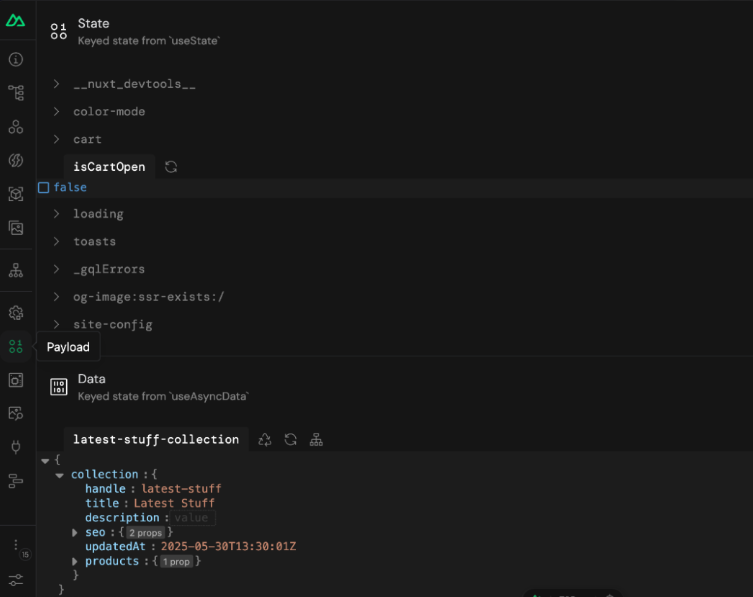
This will allow us to inspect both the state that is used mainly for client side functionality like color mode, cart, toasts and data which is the result of useAsyncData operations (in this case fetching collection data).
Audit payload size of useAsyncData in production
To find a Nuxt website utilizing Server Side (Universal) rendering we have used Vue Telescope as shown in our previous article here and the website we selected was https://www.armani.com/en-pl/.
Let's now audit this website with the free DebugBear website speed test - I have already done a test that you can check out here.
The most important metric for us this time will be Time To First Byte (TTFB) and we can inspect it in more detail by accessing the Web Vitals tab of the test result and clicking on the TTFB element.
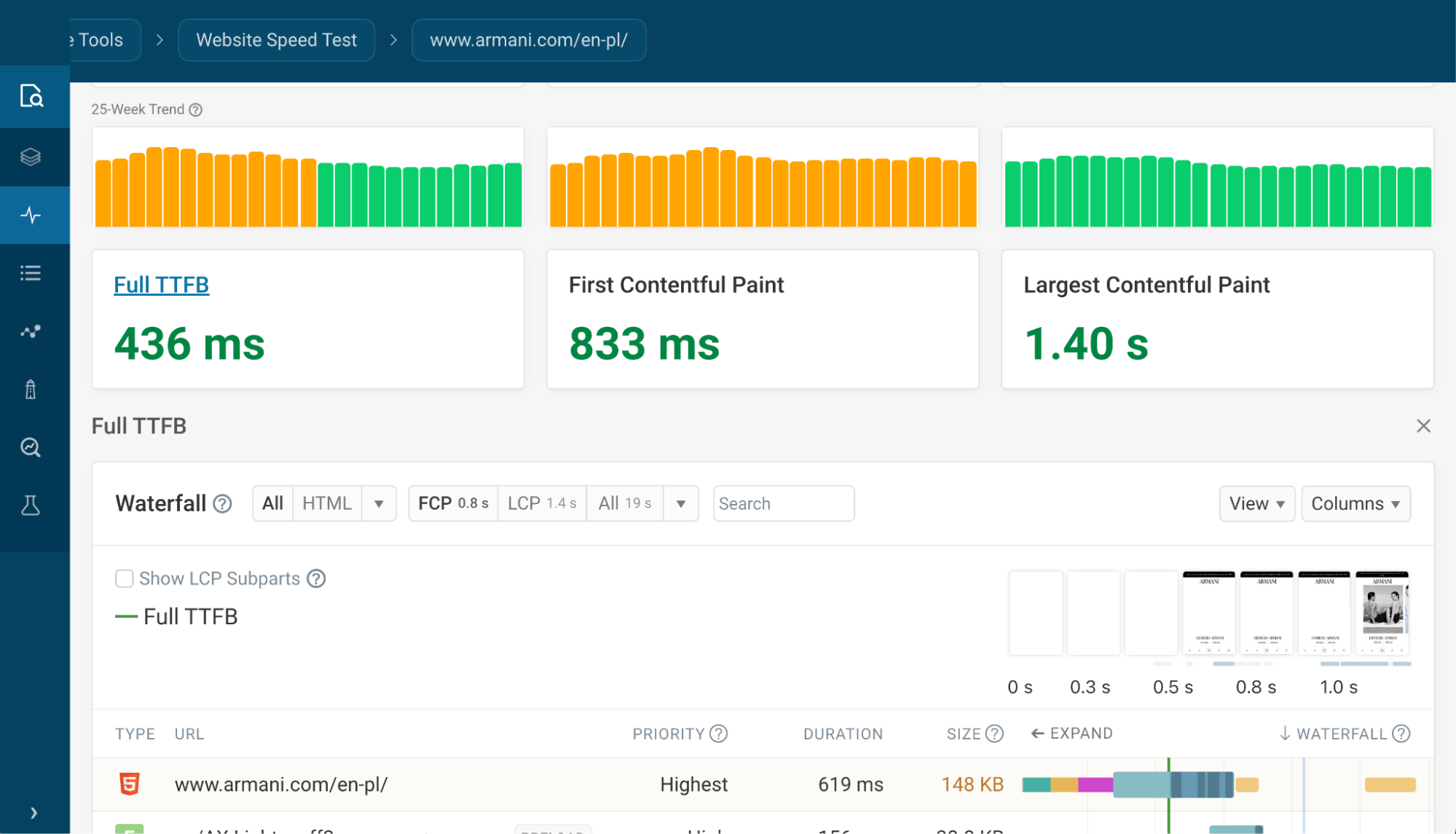
You can see the detailed TTFB view here with useful information such as request priority, duration, and response size.
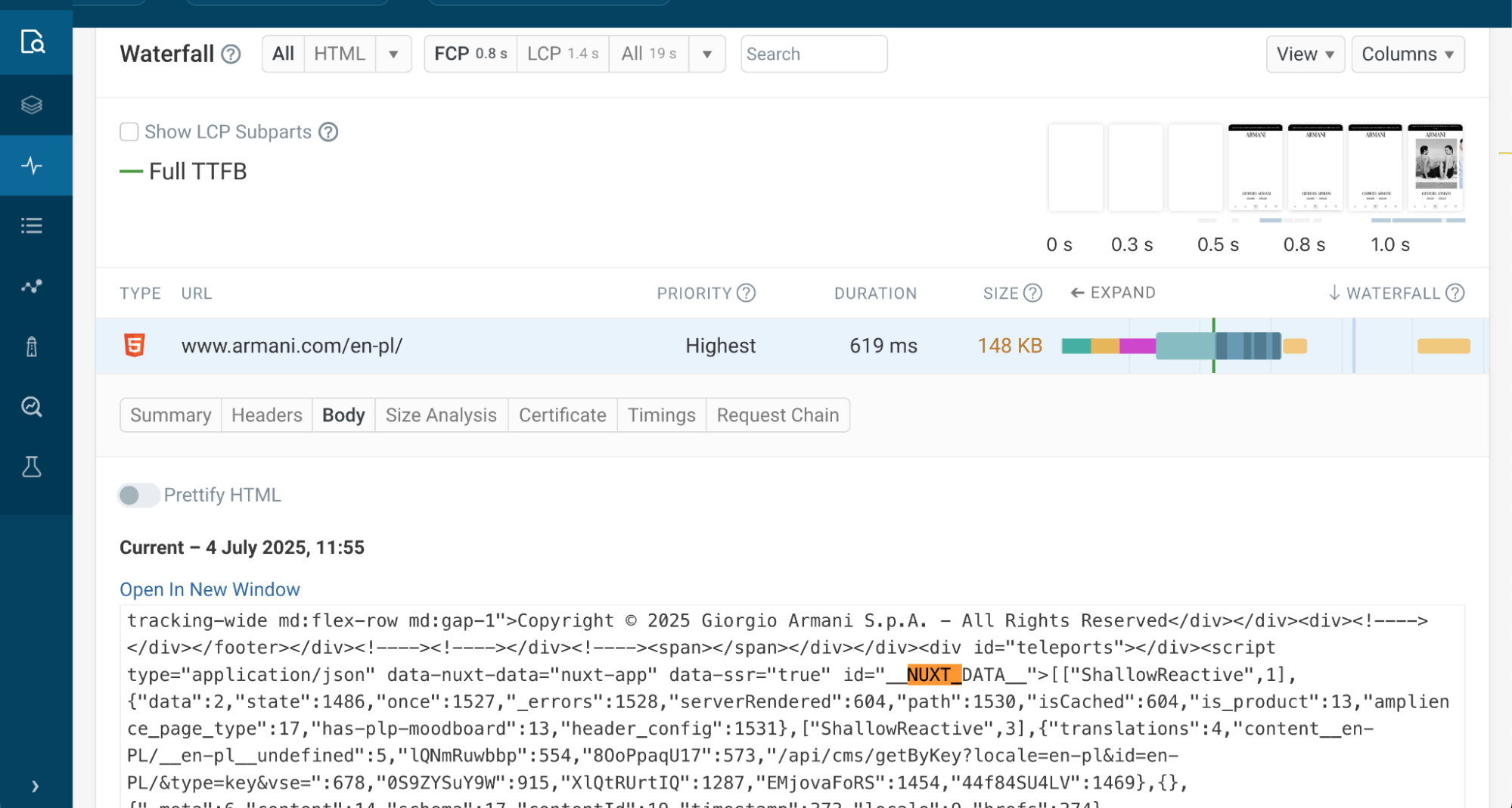
Clicking on the HTML request gives us more information about the request sent by the browser and the resource being loaded. Switching to a Body section shows us the body of the HTML response.
We can search for NUXT_DATA which contains the payload of data fetched with useAsyncData on the server and passed to the front-end for hydration.
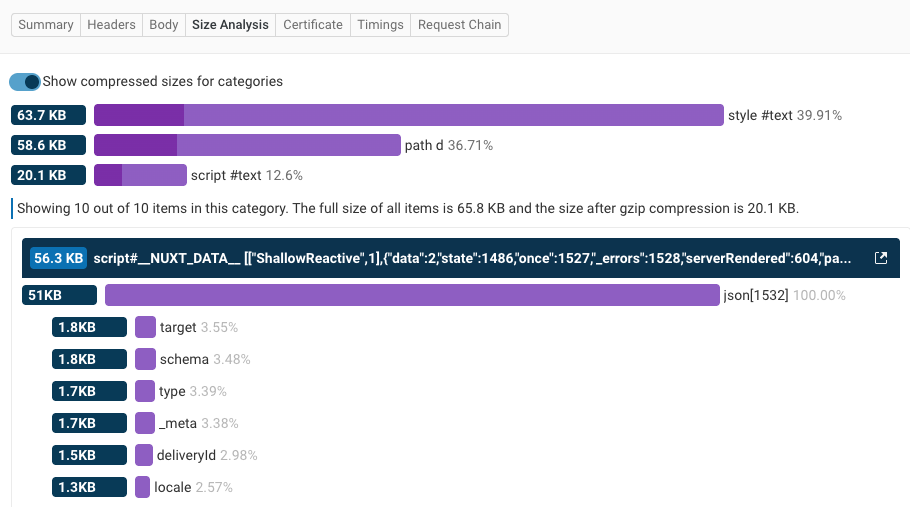
The Size Analysis tab breaks down the different parts of the HTML code and shows us how much each is contributing to the overall document size.
If we expand the script tag we can also see a size breakdown of the __NUXT_DATA__ object.
Summary and additional resources
useAsyncData offloads data fetching to the server and hydrates seamlessly for performance and single-page app SEO.
The shallowRef switch delivers massive speed and memory benefits with deep data structures. Combine it with smart caching, sharedPrerenderData, and useState for optimized data flow.
Together, these strategies make your Nuxt app faster, leaner, and more efficient.
If you would like to learn more about these concepts, please check out the following articles:
- Nuxt Documentation about useAsyncData
- How To Speed Up Your Vue App With Server Side Rendering
- Optimizing Nuxt Server Side Rendering (SSR) Performance
- How To Optimize Performance In Nuxt Apps
- Optimizing Data Loading in Nuxt with Parallel Requests
- Video about differences between useFetch and useAsyncData
How to optimize your Nuxt app and keep it fast
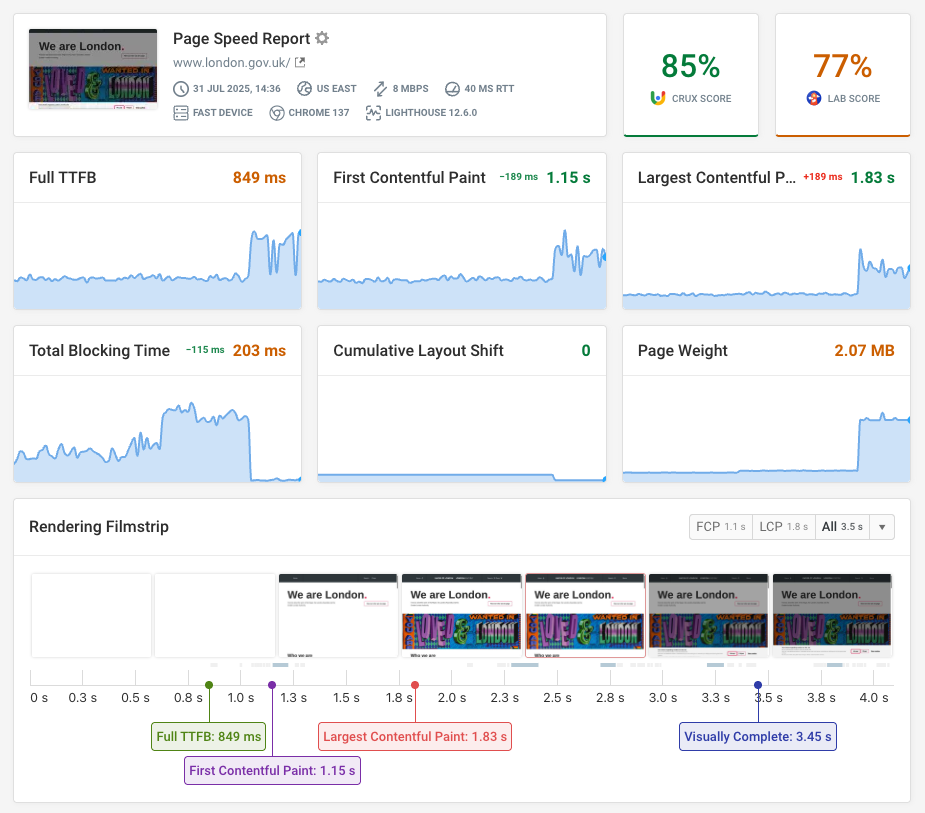
DebugBear can keep track of your website speed over time and highlight the highest-impact optimizations.
Beyond optimizing JavaScript and data loading, a fast website also depends on optimized images, proper server configuration, efficient style loading, and more.
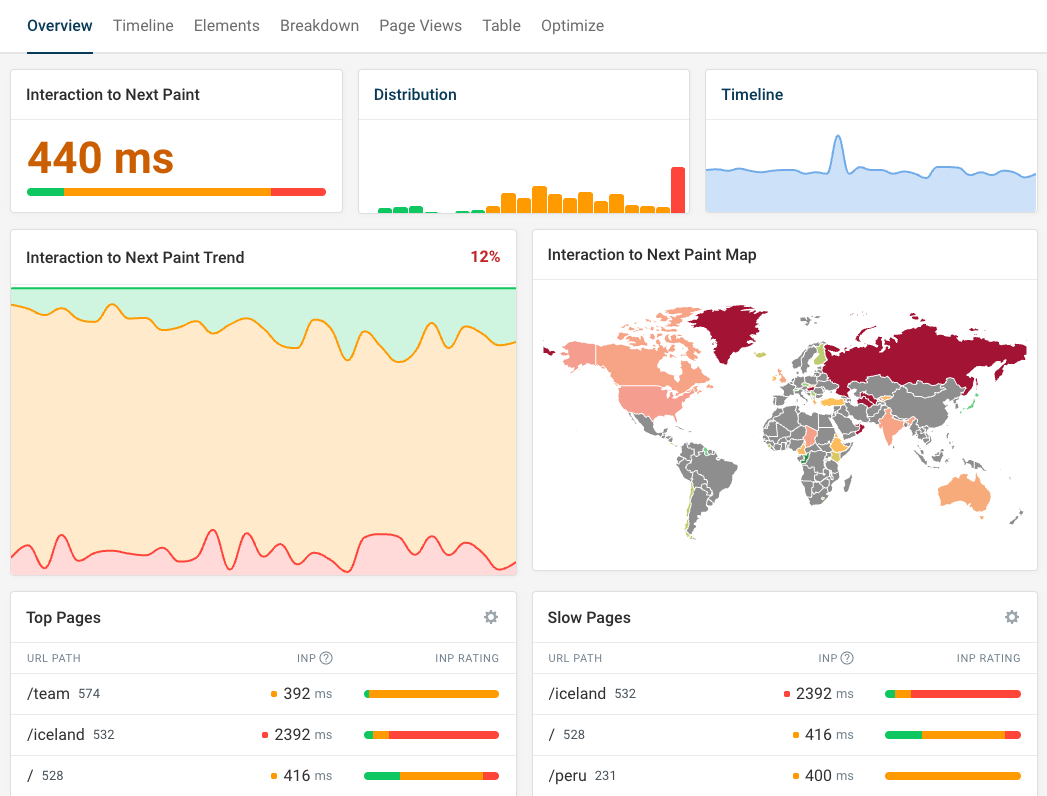
If your application struggles with slow interactions and poor Interaction to Next Paint scores, DebugBear real user monitoring tells you what pages are slow, what page elements are impacted, and what scripts are responsible for poor performance.
Monitor Page Speed & Core Web Vitals
DebugBear monitoring includes:
- In-depth Page Speed Reports
- Automated Recommendations
- Real User Analytics Data