
Using cookie-free domains for static content can, in some cases, reduce network traffic when loading a web page. However, it is also a somewhat outdated optimization.
Read this article to learn what the benefits of cookie-free domains are, and why there are often better ways to speed up your website.
Why can cookie-free domains be good for page speed?
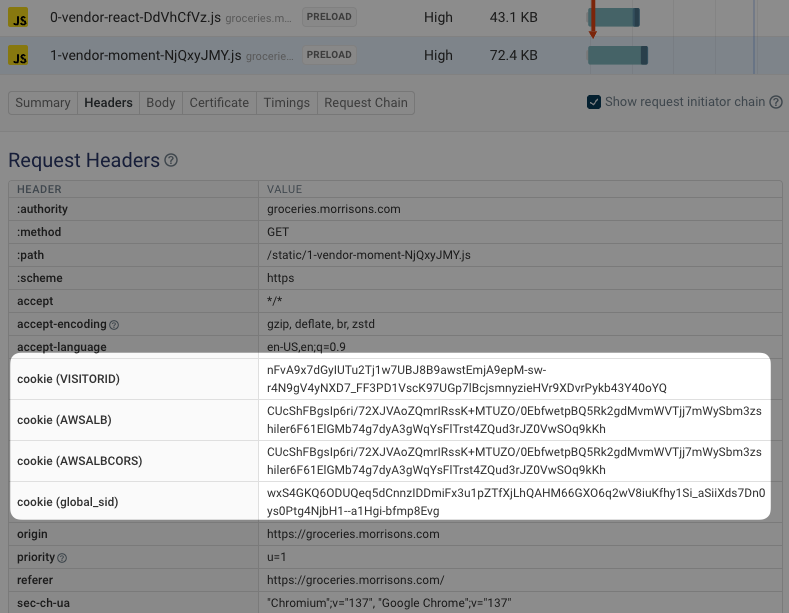
Cookies are data that are sent along with (almost) every request that the browser sends to a specific domain. For example, they are often used for authentication. After login the server sets a cookie in the browser, and it can then identify the authenticated session based on the cookie later on and send user-specific content.
However, the cookies are not useful when loading static files where the server responds with the same content for everyone. In this case, the browser still sends the cookies along with each request, increasing the amount of data that needs to be transferred.
When making many requests with large cookies, this data transfer can add up and start to impact your page speed.
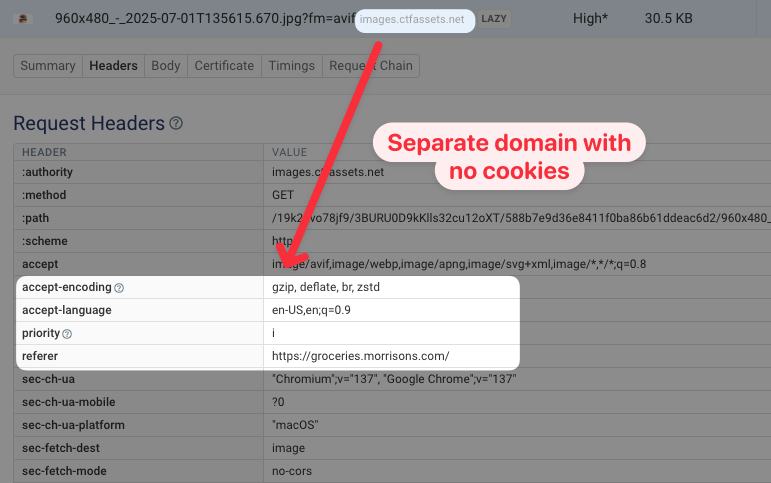
In contrast, when loading an image from a separate cookie-free domain, the request header data is smaller.
You can see what cookies are sent with requests on your website by running a free website speed test. The Requests tab shows you all the resources loaded on the page, and you can click on each one and open the Headers subtab to view any cookies that were sent.
Use cookie-free domains in Pingdom and YSlow
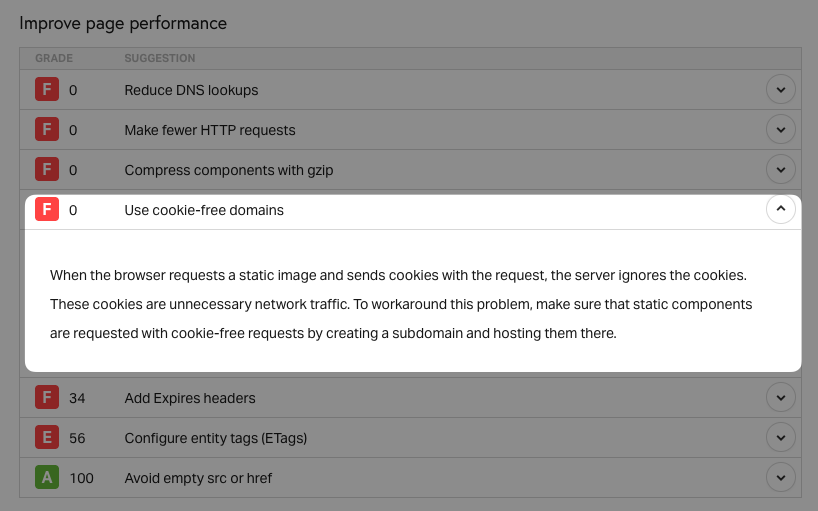
Tools that are based on the open-source YSlow library detect when images are loaded from domains where cookies are set. For example, you can see this recommendation in the Pingdom speed test result.
Does using cookie-free domains still matter?
Today, using cookie-free domains is rarely a performance optimization worth investing in.
There are two reasons for that:
- Cookies are relatively small, and have become smaller
- New domains require a new server connection
Cookies are small
Most cookies are just a couple of bytes long, so they don't increase the data transfer volume by much. In contrast, images often take hundreds of kilobytes to download, so improving image delivery has a lot more potential for impact.
HTTP/2 also introduced header compression. Cookies and other headers are no longer transferred as plain text but using the HPACK compression algorithm. This further reduces the impact of sending a few additional request headers.
New domains require a new server connection
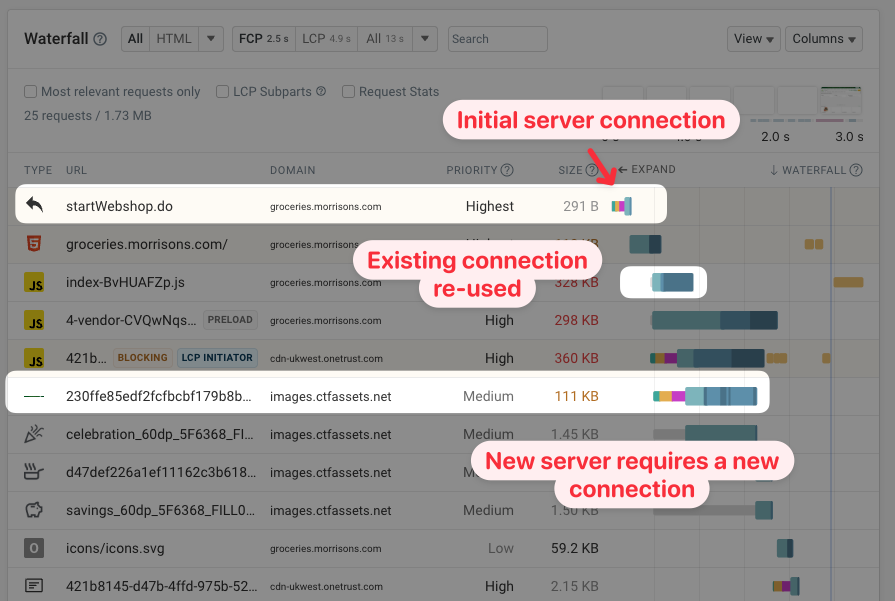
Loading a resource from a new domain also requires time to establish a new HTTP server connection. That means the static content is delayed by several network round trips. It also requires additional data to be transferred, for example for the SSL certificate exchange.
In a request waterfall you can see the server connection as the three teal, orange, and purple boxes ahead of the HTTP request.
Measure performance and focus on the most impactful optimizations
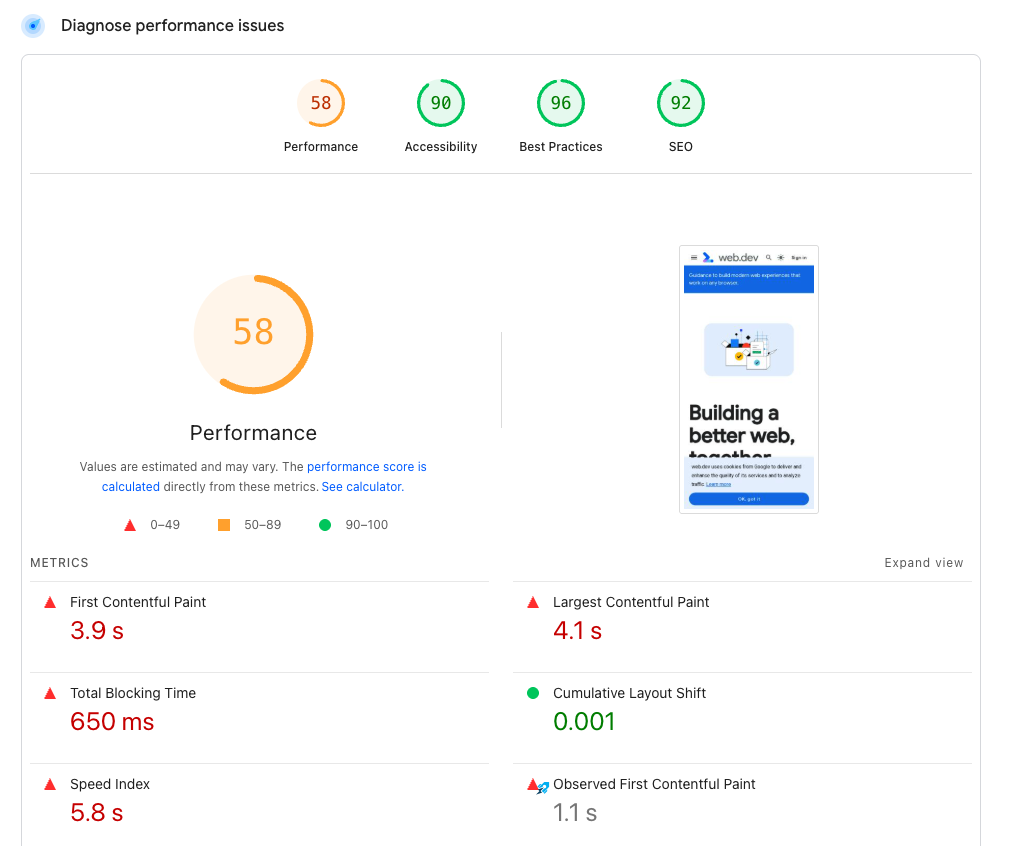
If you want to speed up your website, use a modern tool like our website speed test or Google PageSpeed Insights. That way you get detailed recommendations based on the most impactful changes you can make on your website.
We've also published a detailed guide on how you can improve your website speed.
Deliver a great user experience with a fast website
If you want to optimize your website and keep it fast you can use a web performance monitoring tool like DebugBear. It runs regular tests and alerts you when anything goes wrong.
You can also set up real user monitoring to measure actual visitor experience on your website.


Monitor Page Speed & Core Web Vitals
DebugBear monitoring includes:
- In-depth Page Speed Reports
- Automated Recommendations
- Real User Analytics Data