
Could Google be cutting off your page halfway through and fail to index important content? In this article we take a look at Googlebot's two megabyte file size limit and how likely it is to cause SEO issues in practice.
What is Googlebot's file size limit?
When crawling a website, Google limits how much file content is used for indexing. For HTML files, the publicly documented limit is 2 megabytes. Content beyond that limit may be ignored.
Once the cutoff limit is reached, Googlebot stops the fetch and only sends the already downloaded part of the file for indexing consideration. The file size limit is applied on the uncompressed data.
What does that mean for SEO? If you have large HTML documents you need to reduce the HTML size or ensure that the important content is included in the first 2 megabytes of the file so that it can be indexed.
What changed in 2026?
You might have seen discussion online recently about changes to Googlebot's crawl size limit. Google hasn't openly announced a change, but the published limit in the Googlebot documentation was updated from 15 megabytes to 2 megabytes.
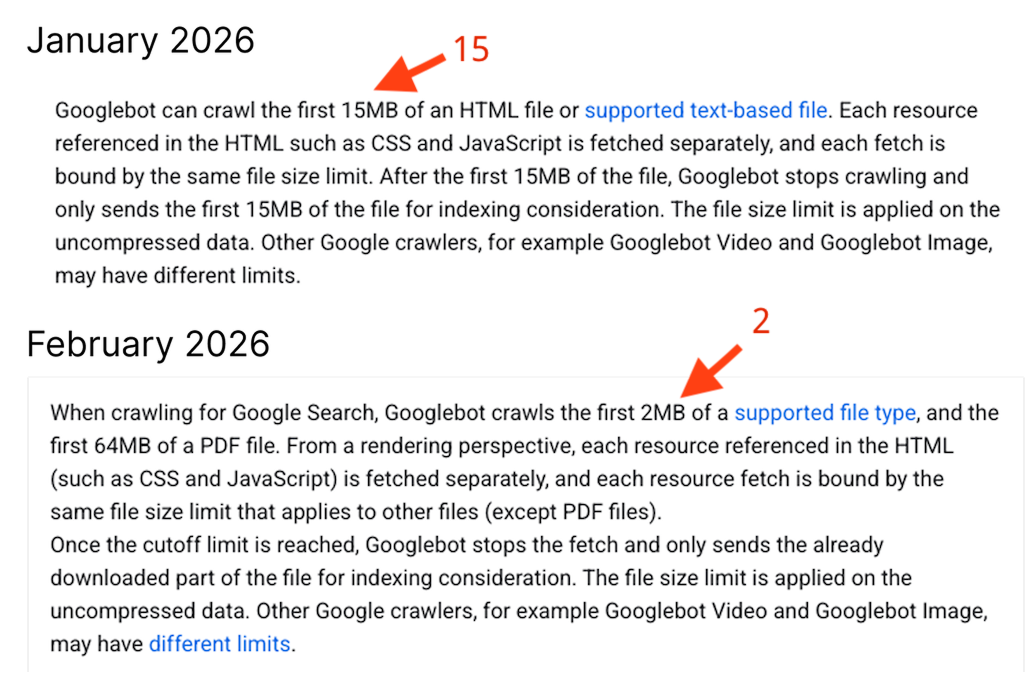
This likely stemmed from a discussion Mark van Ments and Dave Smart had in the Google Search Central Help Community, after Mark found that his website content was getting cut off.
I've heard back from the team, and indeed it looks like documentation was wrong, and that Googlebot only looks at the first 2 MB of raw html, Documentation is being updated.
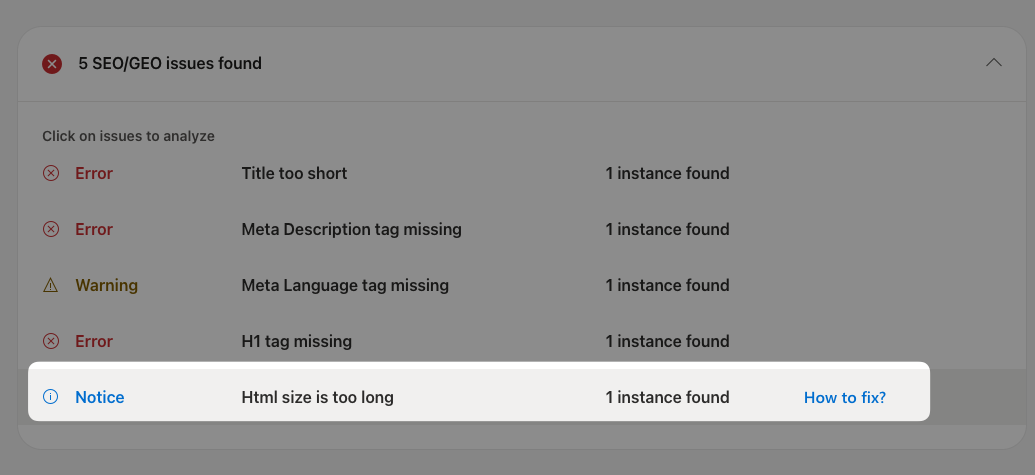
Bing SEO: HTML size is too long
Bing also puts a limit on the size of HTML documents it processes. When its indexing service encounters a large document it reports an "HTML size is too long error" in the Bing Webmaster Tools.
I've seen people reporting this limit as 125 kilobytes, but the current recommendation just mentions a 1 megabyte soft limit.
Search engines may not fully acquire the content on a page if the page contains a lot of code. Extraneous code can push the content down in the page source making it harder for a search engine crawler to get to.
A soft limit of 1 MB is used for guidance to ensure all content & links are available in the page source to be cached by the crawler.
Indexing issues on Bing may also cause your site to not show up in other search engines like DuckDuckGo, which relies on the Bing index.
How common are large HTML documents?
An oversized HTML document can lead to your content not being indexed correctly. However, you need a lot of text to reach the 2 megabyte limit!
In his aptly titled blog post, "2 MB is a lot of HTML", Dave Smart finds that the median uncompressed HTML file size is just 20 kilobytes, and even the 90th percentile only reaches a size of 392 kilobytes.
So only a small percentage of pages will be affected by the size limit!
Diagnose what's causing large HTML files
If you have a large HTML document you can use our HTML Size Analyzer to check your HTML file size and identify the biggest contributors. It breaks down the HTML file into different categories and shows you how much space each category takes up.
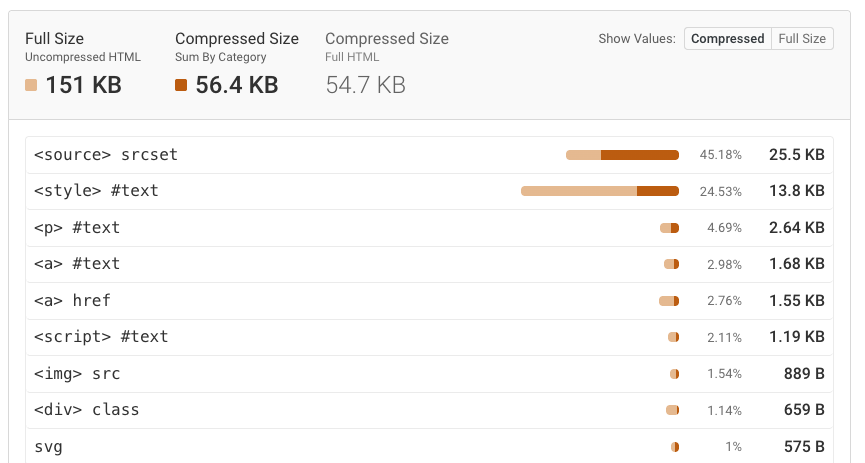
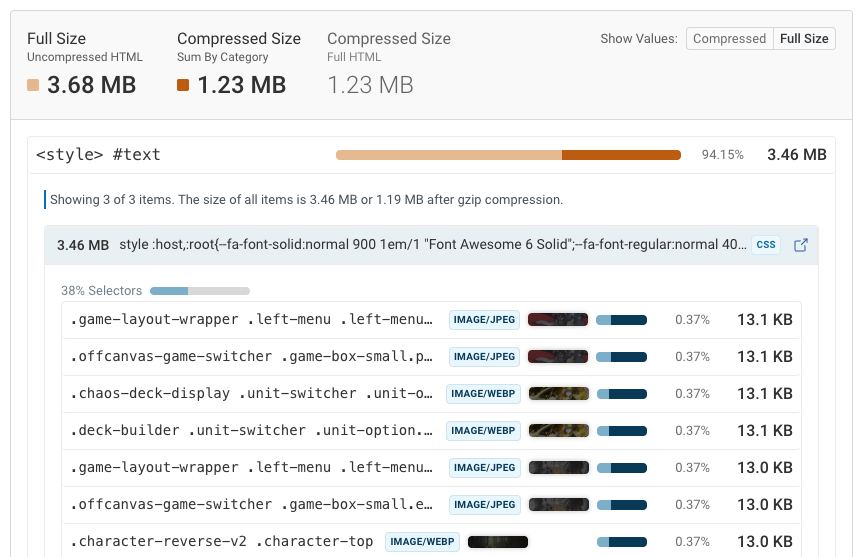
It often turns out that the issue isn't the HTML itself, but rather images or fonts that are inlined using Base64 encoding.
Try to just load these as separate files. It won't just help with indexing, but also typically results in improved page speed.
Could other size limits on other file types impact indexing?
Google states that the file size limit doesn't just apply to HTML files:
From a rendering perspective, each resource referenced in the HTML (such as CSS and JavaScript) is fetched separately, and each resource fetch is bound by the same file size limit that applies to other files (except PDF files).
Does that mean that a single-page application that requires a 3 megabyte JavaScript bundle to render won't be indexed? According to Google:
To further clarify, each individual subresource fetch (in particular CSS and JavaScript) is bound to the [old] 15MB limit.
I used the Test Live URL button in Google Search Console to check a page with a large JavaScript file: it appeared to render correctly and Google reported the fully-built DOM.
When I searched for text from websites with large JavaScript bundles I also generally found matches in Google. This suggests they were still indexed correctly, although it could be that they have special logic to pre-render content for Googlebot.
The 2 megabyte limit is mysterious
In the forum thread mentioned above the user clearly sees truncation issues:
The files we are returning are around 2.4MB in size. If I truncate it at exactly the same point as the Crawler truncates it, I get a file which is 1.9MB (1,999,143 bytes in file, 2,002,944 on NTFS disk).
However, when I used the Test Live URL feature on a large HTML document the result was not cut off at the 2 megabyte limit. Maybe the testing feature doesn't match real crawl behavior?
So I created a test page and asked Google to index it. Then I checked the crawled page HTML in the URL inspection feature of Google Search Console. The content was not truncated.
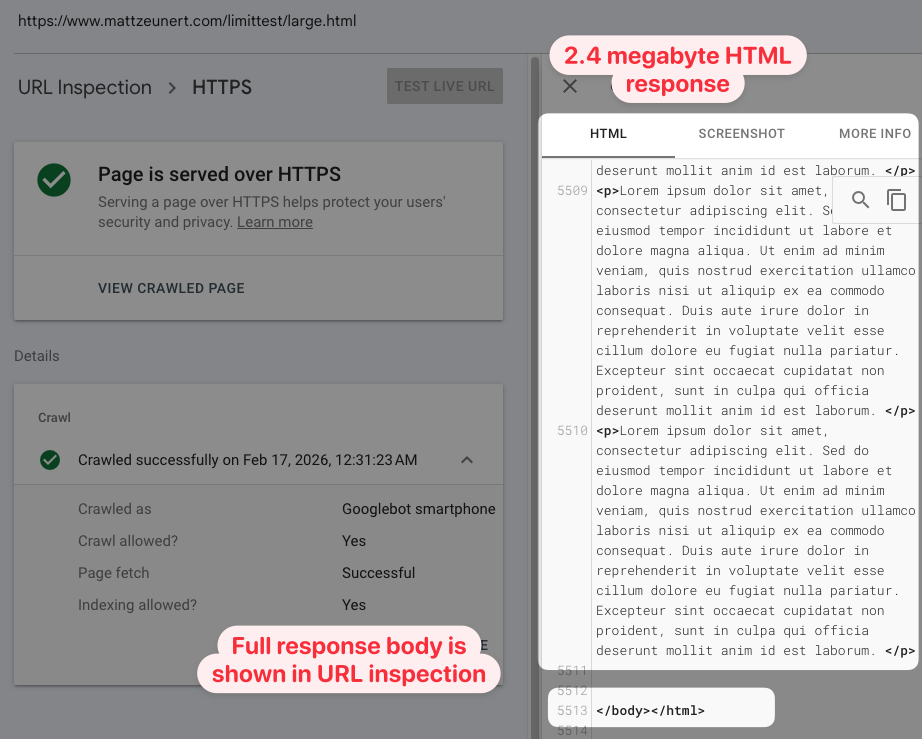
I also ran two other tests, and in both cases the full HTML was reported:
- 2+ megabyte of DOM content generated using JavaScript
- DOM content using a 2+ megabyte JavaScript file
A strict 2 megabyte file size limit could cause widespread indexing issues across the web. Dropping the limit from 15 to 2 megabytes is a big change. However, in practice it seems like the impact is relatively limited.
It would be helpful if Google could provide more clarity on how the limit is applied.
It's unclear when content truncation happens and how hard the size limit is.
Track HTML size and page speed
DebugBear lets you monitor HTML file size, Lighthouse scores, and Core Web Vitals. You can set up alerts to be notified when your HTML file size exceeds a certain threshold, or when your page speed gets worse. Sign up for a free trial.
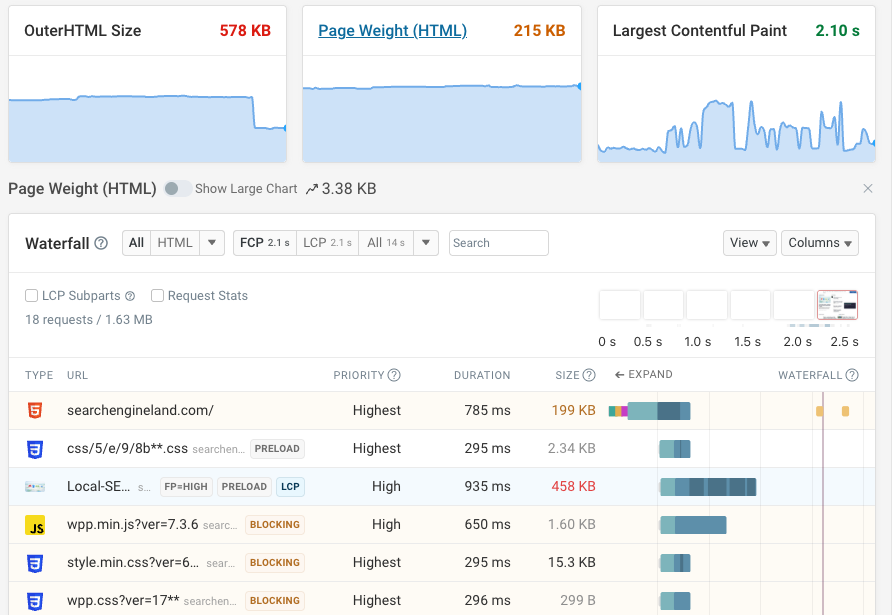


Monitor Page Speed & Core Web Vitals
DebugBear monitoring includes:
- In-depth Page Speed Reports
- Automated Recommendations
- Real User Analytics Data